
Consistent evidence
Every observation can carry the same core fields and multiple captioned photographs, producing a repeatable report structure.
Capture what you observed, keep the evidence beside the description and leave with a professional PDF ready to review or share.
For building inspectors, consultants, owners representatives and maintenance teams. Android 8.0 and above. No account required.
Transferring handwritten notes and camera photos into a report creates a second version of the inspection. Locations get shortened, captions become guesses and the order of the photographs changes. The longer the gap, the more context disappears.
Site Audit generates the report from records created during the walk. Your business details and inspector contact information appear on the cover, while the summary and one-page-per-item structure remain consistent from report to report.
Every observation can carry the same core fields and multiple captioned photographs, producing a repeatable report structure.
Add your logo, business name, registration number and inspector details so the exported PDF reads as your report.
Generate and share the PDF from the device instead of rebuilding the inspection in desktop software later.
Step 1
Record the site, client, inspection date and report profile before the walk starts.
Step 2
Add precise locations, descriptions, categories, priorities and photographs as each condition is encountered.
Step 3
Check the register for missing fields, generate the PDF and retain a backup of the project record.
Organise observations in a way that suits the inspection and use descriptions to state the relevant condition and recommended action.
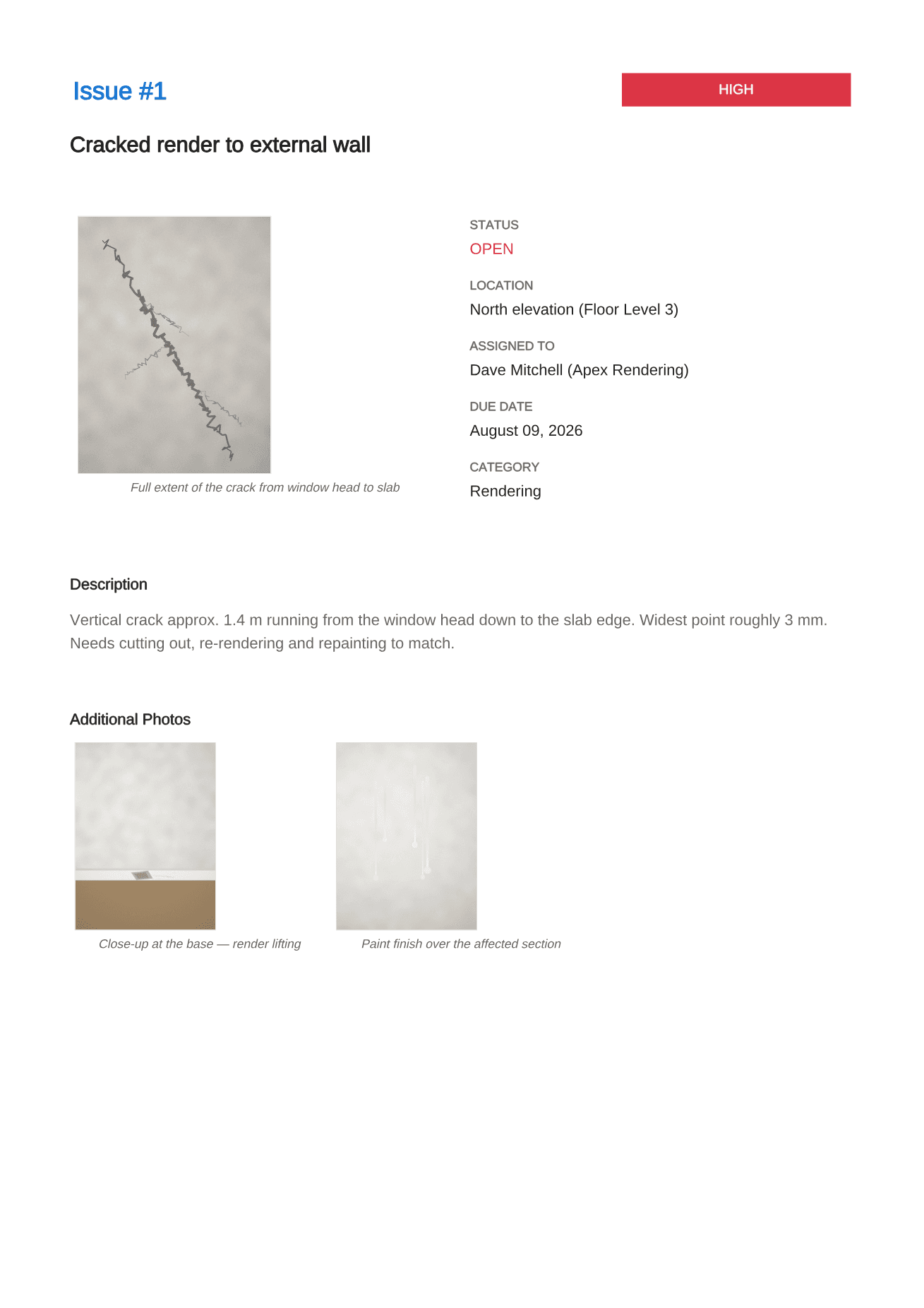
Each item receives its own page with fields and photographs together, after a compact issue summary for rapid review.
There is no product account and no cloud database. The inspection record remains on the device unless you choose to share or back it up.
The app documents observations. Inspectors remain responsible for their scope, methodology, compliance references and professional conclusions.
Straight answers about scope, storage and the reporting workflow.
Yes. The report profile supports a logo, business name, registration number and inspector contact details for the PDF cover.
The app is a record and report tool, not a certification service. Whether a report meets a particular statutory, contractual or professional requirement depends on the inspector, scope and jurisdiction.
It is stored in the app's private storage on the Android device. Users can export reports and create a backup file when required.
Record defensible evidence on site and turn it into a clear, branded defect report before the details get lost.
See the workflowGive every closeout item a location, owner and clear finish line, then send each contractor only the work that is theirs.
See the workflowUse a real four-part report example to structure project details, the issue summary, individual findings and photographic evidence.
See the workflow