
A located record
Area, floor, category and a written location travel with every photograph, so the evidence still makes sense after it is forwarded.
Photograph each defect, show exactly where it is, assign the responsible trade and export a report that can be acted on without a follow-up call.
For builders, site supervisors, inspectors and owners representatives. Android 8.0 and above. No account required.
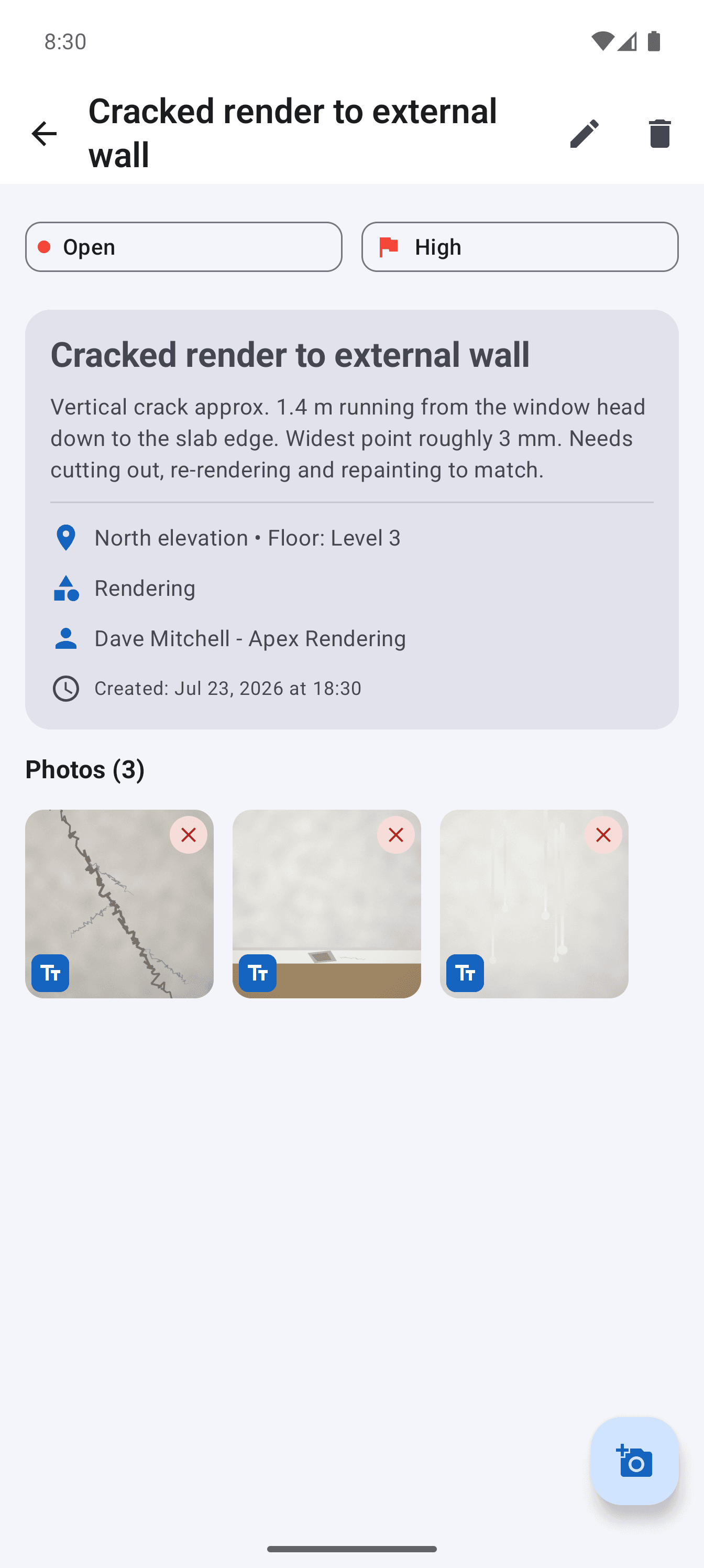
A useful defect report does more than prove that something looked wrong. It gives the reader enough context to find the item, understand the expected remedy and send the right trade. That means the location, description, photographs, priority and ownership must stay together.
Site Audit keeps those facts on one issue record. The report is assembled from the same record, so there is no separate evening job copying photographs into a document and no opportunity for item numbers or captions to drift.
Area, floor, category and a written location travel with every photograph, so the evidence still makes sense after it is forwarded.
Assign each item to a contractor or trade and filter the report so each recipient sees the work that belongs to them.
Issue a branded summary and detailed defect pages that can be filed, emailed and compared with later revisions.
Step 1
Take a locating shot and detail shots, add captions, then mark up the image when the defect is not obvious.
Step 2
Record what is wrong, where it is and what needs to happen. Dictate the description when typing on site is impractical.
Step 3
Generate the full PDF or a contractor-filtered version and share it directly from the phone.
Use a wide image to establish location and a close image to show the condition. Add further angles where movement, alignment or water paths matter.
Use the same categories, priorities and statuses across the project so the summary can be scanned and filtered without interpretation.
Move an item from open to in progress to resolved. Keep the original number and evidence instead of deleting the history when work is completed.
Projects and photographs remain in the app's private storage. There is no account or cloud dependency, and backup is available as a single file.
Straight answers about scope, storage and the reporting workflow.
Yes. Capture, editing and PDF generation work offline because project data and photos are stored on the Android device.
Yes. Assign defects to contractors, then filter the export to create a PDF containing only that contractor's items.
No. The app records and reports observations. It does not determine compliance, certify work or replace professional judgement where one is required.
Give every closeout item a location, owner and clear finish line, then send each contractor only the work that is theirs.
See the workflowTurn observed conditions into a consistent, branded field report without transferring notes and photos after the inspection.
See the workflowUse a real four-part report example to structure project details, the issue summary, individual findings and photographic evidence.
See the workflow