
Fewer wasted visits
Locations, captions and assigned trades make it possible for someone who missed the walk to find and understand the item.
Walk the project once, capture the remaining work in context and issue a punch list that subcontractors can actually clear.
For general contractors, superintendents, project managers and subcontractors. Android 8.0 and above. No account required.
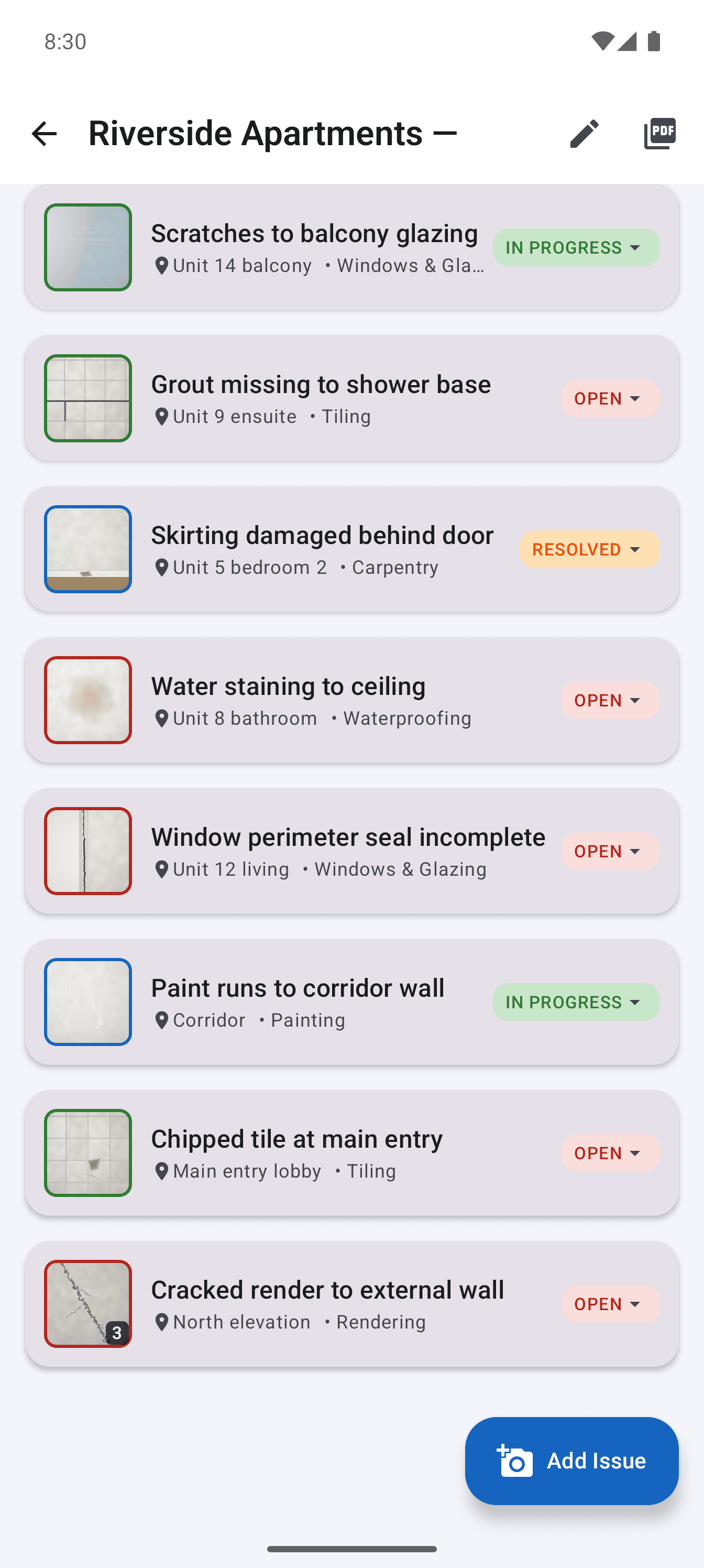
The list only works when each person can see what remains, where it is and who owns it. A folder of photographs cannot answer those questions, while a spreadsheet usually separates the photograph from the row that explains it.
Site Audit keeps the list and the evidence together. Item numbers stay stable through revisions, status is visible from the register, and the PDF gives management a summary before the detailed pages begin.
Locations, captions and assigned trades make it possible for someone who missed the walk to find and understand the item.
Send one filtered list per contractor instead of asking every subcontractor to search the complete project register.
Priorities and statuses show what is blocking completion and what has already been resolved.
Step 1
Use consistent floor and area names as you move through the project so the final list follows the building's geography.
Step 2
Select the responsible contractor and a realistic due date while the cause and scope are still clear.
Step 3
Work through open items, update resolved ones and retain the record for the final closeout report.
Create the item, add multiple captioned photos and use voice input for a fuller description without slowing the walk.
Circle, point to or annotate the relevant condition when a wide shot contains more detail than the defect itself.
Send a readable PDF to the field and export the issue register as CSV when the project team also needs spreadsheet data.
The free version supports two active projects. Pro removes the project limit and report credit with one Google Play purchase.
Straight answers about scope, storage and the reporting workflow.
The core process is the same. Punch list is common in the United States, while snag list is common in the United Kingdom and Ireland. Defect list is widely used in Australia.
Yes. Each item can carry multiple captioned photos, including a locating image, detail images and marked-up evidence.
No. The Android app has a usable free tier and an optional one-time Pro purchase through Google Play.
Record defensible evidence on site and turn it into a clear, branded defect report before the details get lost.
See the workflowTurn observed conditions into a consistent, branded field report without transferring notes and photos after the inspection.
See the workflowUse a real four-part report example to structure project details, the issue summary, individual findings and photographic evidence.
See the workflow